Text Cleaner
Line breaks from PDFs, double spaces, blank lines, duplicate lines: one button each. Feed the result back in to keep cleaning.
Text copied from a PDF
PDFs place each line separately, so copying brings a line break at every line end. Join lines within paragraphs keeps paragraphs separated by blank lines and joins only the lines inside them; Remove line breaks makes one paragraph of everything.
Lists and spreadsheets
Remove duplicate lines treats lines that differ only by surrounding spaces as the same. Sort A–Z orders numbered lines as 1, 2, 10 rather than as strings.
Several steps
Each button does one thing. Use result as input moves the result up so you can apply the next operation.
Tips for common situations
Join Paragraph Lines Then Collapse Spaces
Use the paragraph-aware line joining button instead of removing all line breaks, which would flatten your entire document into one block. Follow up with the collapse-spaces button to clean any double spaces left after lines are reconnected.
Strip Tags Before Removing Emoji
When cleaning text copied from web pages, run HTML tag removal first, then apply emoji removal to isolate pure text content. Follow with full-width to half-width conversion and quote straightening to produce document-ready output.
Deduplicate Before Sorting for Clean Lists
Run trim and blank-line removal before deduplication to ensure consistent comparisons across entries. Natural numeric sorting orders items as 1, 2, 10 rather than the default ASCII sequence of 1, 10, 2.
Tried with sample values
Screens and numbers from actually running this tool with sample values (2026-10-06, Chromium-based browser on a Mac). Results vary with your input and device.
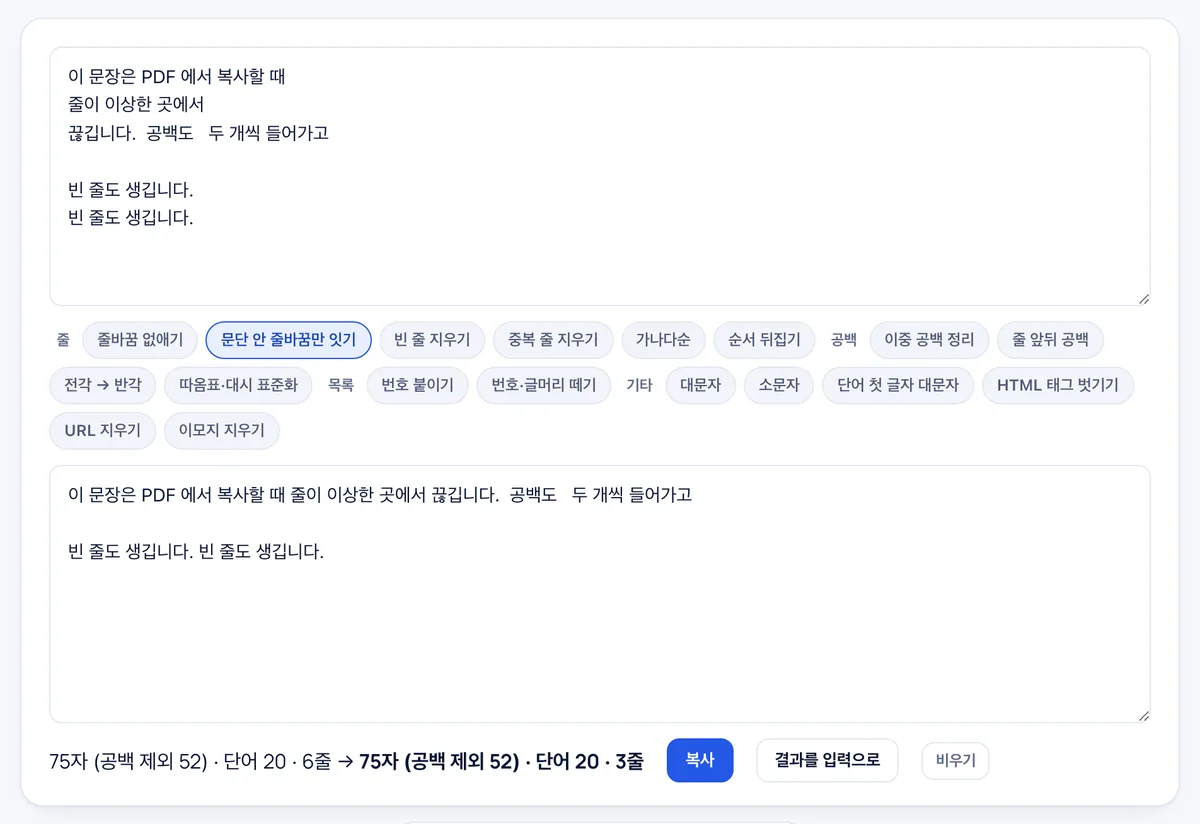
The 'join line breaks within paragraphs' button was applied to a six-line text. Blank lines between paragraphs were kept while line breaks inside each paragraph were merged, bringing the total to three lines. Character count (75 with spaces, 52 without) and word count (20) stayed the same.
The result can be fed back into the input to chain additional cleaning steps—alphabetical sorting, full-width to half-width conversion, HTML tag stripping, and more.
Frequently asked
Is my text uploaded?
No. Everything runs in your browser; the last input is kept only in this browser.
What are full-width characters?
Characters such as A, 1 and the ideographic space that occupy a full CJK cell. They arrive from Japanese and Chinese sources and older documents; the button converts them to ordinary ASCII.
Does it work with Word text?
Paste the body text. Formatting (bold, tables) is dropped; only the characters remain.
Can I remove unwanted line breaks and merge broken lines into clean paragraphs?
Yes, dedicated one-click buttons let you remove all line breaks, join lines within paragraphs, or eliminate duplicate and blank lines.
Can I strip HTML markup, URL links, and emojis from pasted text?
Yes, the tool includes specific filters to strip HTML tags, remove URLs, and clear emoji characters from your text.
Can I sort lines of text alphabetically or in reverse order?
Yes, you can sort lines alphabetically with natural numerical ordering or in reverse descending order.
Can I apply multiple text cleanup operations sequentially?
Yes, you can feed the cleaned output back into the input field to chain multiple formatting operations together.