JSON Formatter & Validator
Paste an API response or config and it is formatted instantly; mistakes are pointed out by line and column.
Reading the error
Broken JSON is reported as 'line 3, column 14' with the surrounding lines shown. The usual causes are a trailing comma, single quotes, unquoted keys and comments; JSON allows none of them.
Format vs. minify
Formatting is for people, minifying is for transport and storage. Values are unchanged either way; order changes only with 'Sort keys'. Numbers follow JavaScript's range, so integers above 2^53 may lose precision.
Large files
Several megabytes are fine. The last input is kept only in this browser (up to 200,000 characters) and never transmitted.
Tips for common situations
Formatting API Payloads with Key Sorting
Switch between 2 spaces, 4 spaces, or tabs to match your codebase formatting standards. Toggle alphabetical key sorting to easily compare staging and production response payloads side by side.
Pinpointing JSON Syntax Errors Quickly
The validator highlights the exact line and column where parsing failed, along with surrounding code context for quick identification. Key counts, array numbers, maximum nesting depth, and character counts are displayed instantly after validation.
Minifying JSON for Web Deployment
All line breaks, tabs, and spaces are stripped to produce a single-line string with the smallest possible byte size. Data structure statistics including total keys, arrays, maximum depth, and character count are shown alongside the result.
Tried with sample values
Screens and numbers from actually running this tool with sample values (2026-10-06, Chromium-based browser on a Mac). Results vary with your input and device.
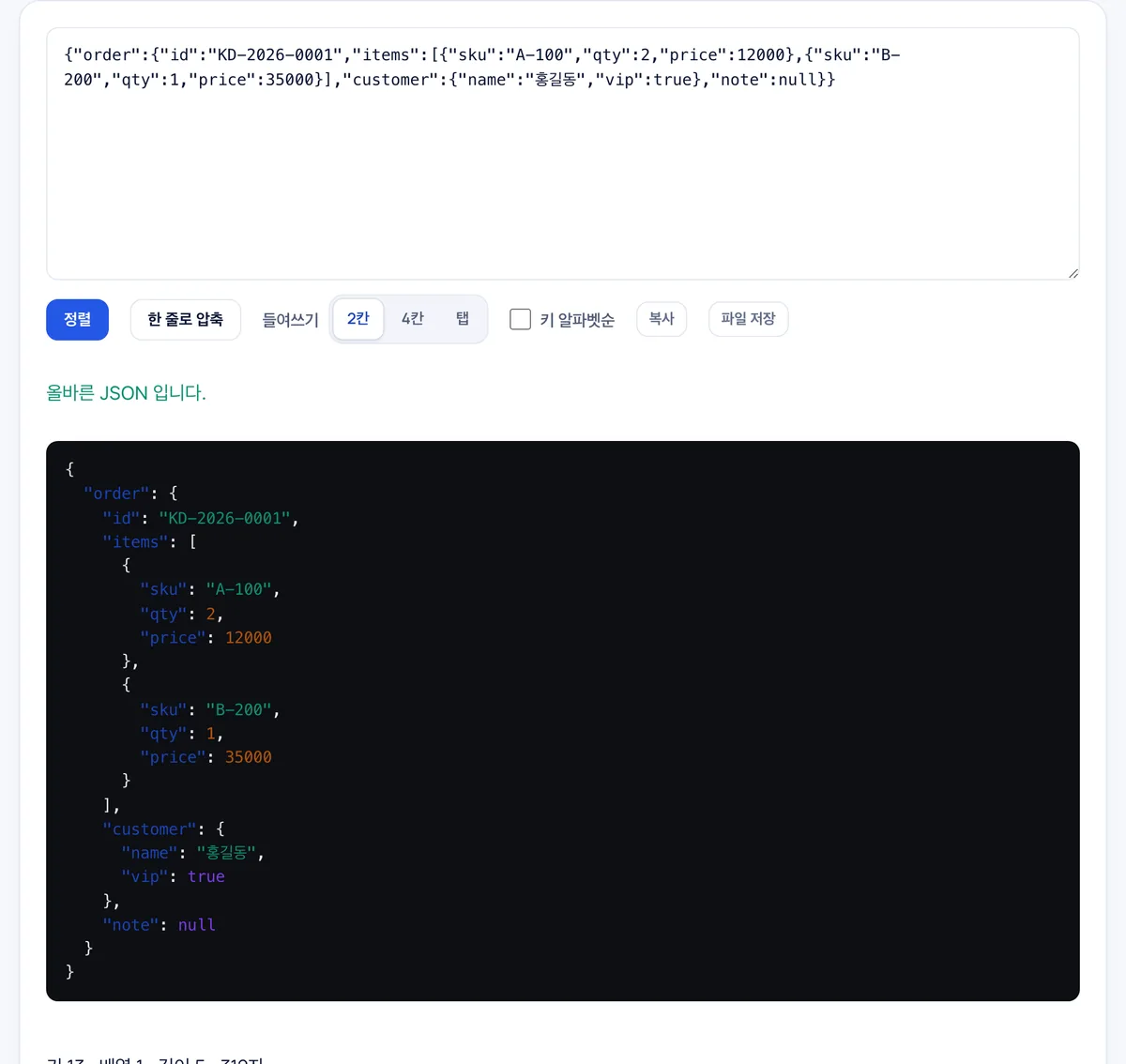
A sample order object was formatted with 2-space indentation. The validator confirms it is valid JSON, and the statistics show 13 keys, 1 array, depth 5, and 312 characters.
Alphabetical key sorting, single-line compression, and 4-space or tab indentation are also available. Copy and file-save buttons let you export the result immediately. Only standard JSON is accepted—comments and trailing commas are treated as errors.
Frequently asked
Is my JSON uploaded?
No. Validation and formatting run in your browser, so a response containing API keys never leaves your machine.
JSON5 or files with comments?
Standard JSON only. Comments and trailing commas are reported as errors.
Non-Latin text comes out as \uXXXX?
No, this tool keeps Unicode characters as they are.
How does the tool report JSON syntax and formatting errors?
It identifies the exact line and column numbers of the error and displays the surrounding code context for quick debugging.
What indentation and formatting options are available?
You can format your JSON using 2 spaces, 4 spaces, or tabs, or minify the entire structure onto a single line.
Can I automatically sort JSON object keys alphabetically?
Yes, you can organize object properties by automatically sorting all keys in alphabetical order.
Can I download the formatted JSON as a file directly from the browser?
Yes, you can copy the result to your clipboard or download it directly as a formatted .json file.