Safe ID Copy
Cover what the recipient doesn't need, stamp who it's for and when, and save.
Why
A copy of your ID can be reused anywhere once it leaves your hands. Cover what isn't needed and stamp the recipient, purpose and date across the whole image.
Tips for common situations
Writing the Watermark Text
Enter the recipient name, purpose and date to stamp them diagonally across the whole image, along with a no-other-use notice. The more specific the text, the harder it is for anyone to reuse the copy elsewhere. Always include the date to record when the copy was made.
Selecting Areas to Mask
There is no automatic detection, so drag a box over each area you want to cover. Use the black box for sensitive numbers and mosaic for less critical areas. Before saving, verify that every box fully covers the intended information.
Choosing Between JPG and PDF
JPG saves the masked image as a picture file. PDF places it near the top of an A4 page. Either format strips EXIF metadata such as location and device info, so choose whichever the recipient requires.
Tried with a sample file
Screens and numbers from actually running this tool with a sample file with no personal data (2026-10-06, Chromium-based browser on a Mac). Results vary with your input and device.
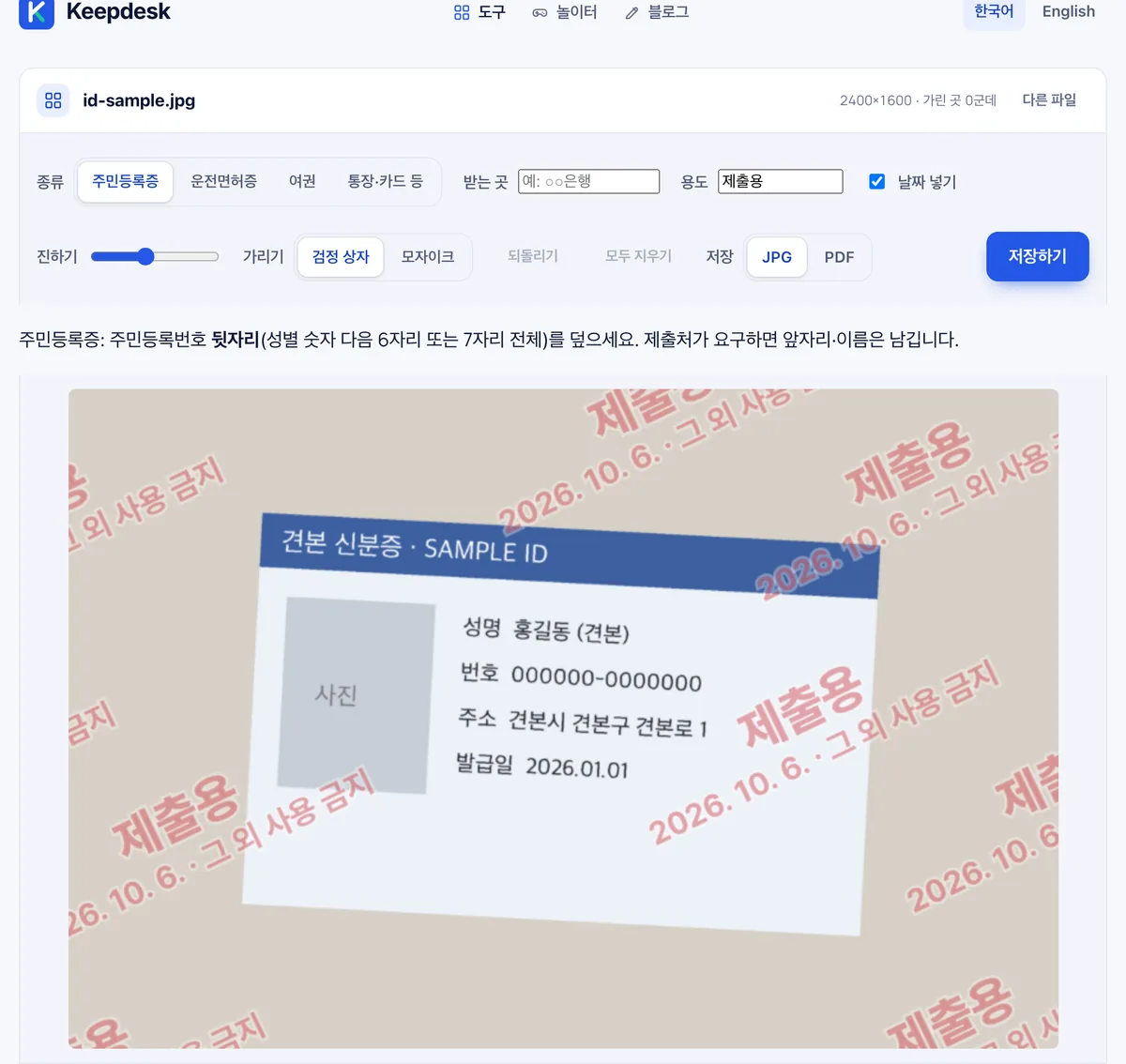
After adding id-sample.jpg (2400×1600, 119 KB), options appear for document type (resident ID, driver's license, passport, or bankbook/card), recipient, purpose, date, and masking style (black box or mosaic). The result can be saved as JPG or A4 PDF.
A note at the bottom advises covering the last six or all seven digits of the resident registration number. It adds that the front digits and name may be kept if the receiving organization requires them.
Frequently asked
Is it uploaded?
No, everything runs in your browser.
Can covered numbers be recovered?
Black boxes replace the pixels outright, so no.