Date Calculator
Days between two dates, and the date a number of days from another. Countdowns, contract terms, business days.
Add or subtract
When to count the first day
Turn it on for anniversaries, hospital stays and anything where the starting day is day one: 100 days from January 1 is April 10. Turn it off for contract terms and countdowns, where January 1 to January 2 is one day. If in doubt, ask which convention the other side uses.
Why months don't match days
Months are 28–31 days long, so "3 months" can be 89 or 92 days. The calculator shows a calendar-based years/months/days figure separately from the exact day count. If a contract says "3 months", the calendar figure is the one that applies.
Business days
Only Saturdays and Sundays are excluded. Public holidays differ by country and year, so subtract those yourself if you need exact working days.
Adding months to month-end dates
January 31 plus one month has no February 31, so it becomes February 28 (29 in a leap year). This matches EDATE in Excel.
Tips for common situations
Working Days Between Project Milestones
Select start and end dates to get weekend-excluded business days alongside total calendar days, weeks, and hours in one view. Public holidays are not subtracted automatically, so adjust the count manually for any statutory holidays in your region.
Add Months or Years to a Date
Enter a base date and add or subtract any combination of days, weeks, months, or years to find contract renewals or subscription deadlines. Month-end dates are automatically corrected, so adding one month to January 31 yields February 28 or 29.
D-Day Countdown to a Target Date
Pick a target date to see the exact number of remaining days from today, shown as D-minus for future dates and D-plus for past ones. The breakdown includes weeks and calendar months, helping you plan mid- to long-term schedules at a glance.
Tried with sample values
Screens and numbers from actually running this tool with sample values (2026-10-06, Chromium-based browser on a Mac). Results vary with your input and device.
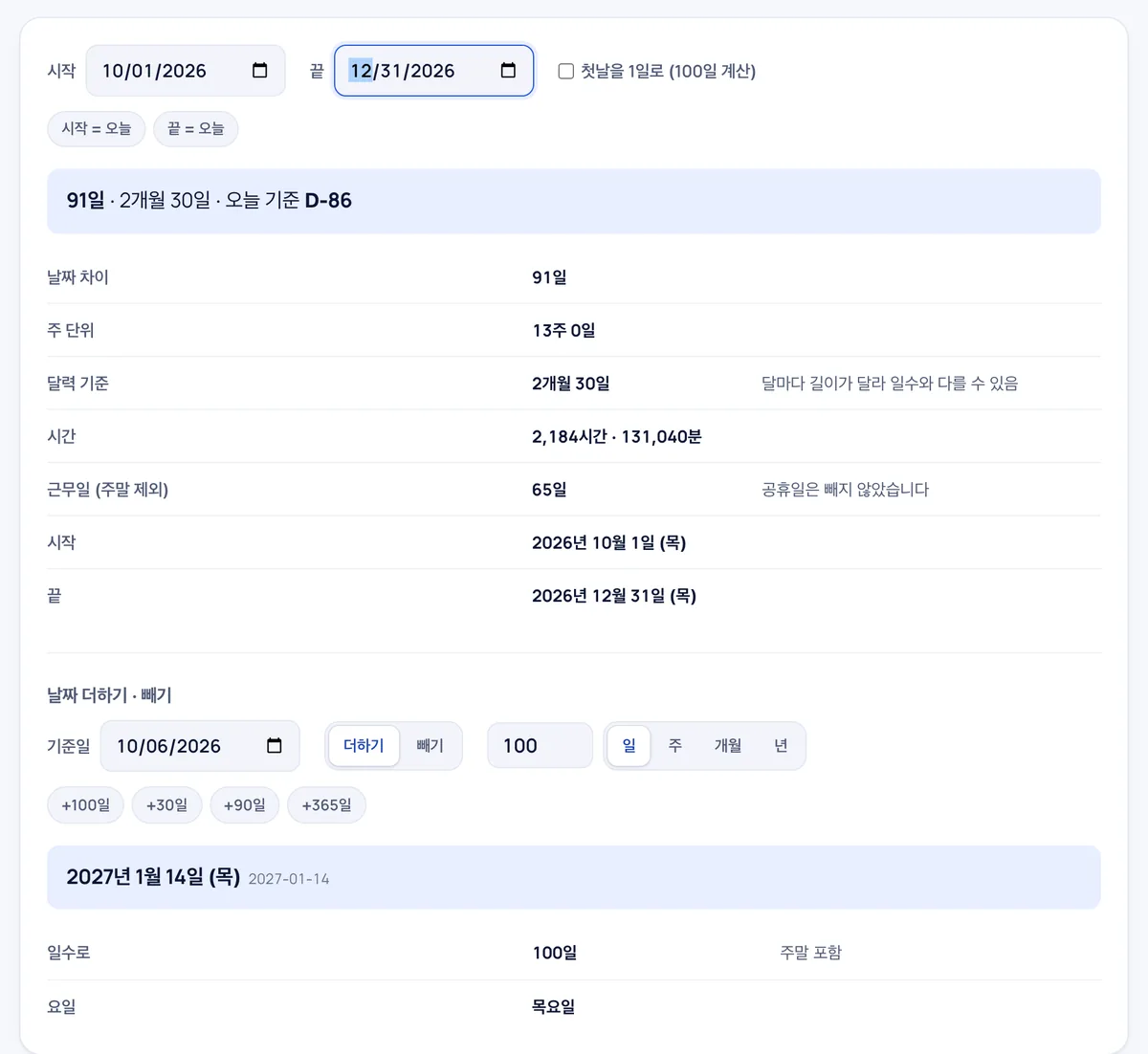
The start date was set to October 1, 2026 and the end date to December 31. The result shows 91 days, 13 weeks 0 days, and 2 months 30 days by calendar—2,184 hours or 131,040 minutes. Working days come to 65, with weekends excluded but public holidays not subtracted.
The date-addition section below lets you add or subtract days, weeks, months, or years from a reference date. Adding 100 days to October 1 lands on Thursday, January 14, 2027.
Frequently asked
Is anything sent anywhere?
No. The arithmetic runs in your browser.
How is D-day counted?
If the end date is today it is D-Day; three days ahead is D-3; three days past is D+3.
Does it handle times or lunar dates?
Whole days only. Hours and minutes are shown as conversions in the table.
Are public holidays excluded from the business day calculation?
No, the business day count only excludes weekends (Saturdays and Sundays) and does not filter out statutory holidays.
How can I include the starting date in the total day count?
Enable the 'count first day' option to include the initial date as day one in your calculation.
Can I add or subtract months and years from a specific date?
Yes, you can add or subtract days, weeks, months, or years, with automatic month-end date adjustments.
Can I use this calculator offline?
Yes, all calculations run entirely in your browser, so the tool keeps working even if you lose internet connection after loading the page.